Community
Report bugs, request features, and vote on what matters most.
v0.6.20
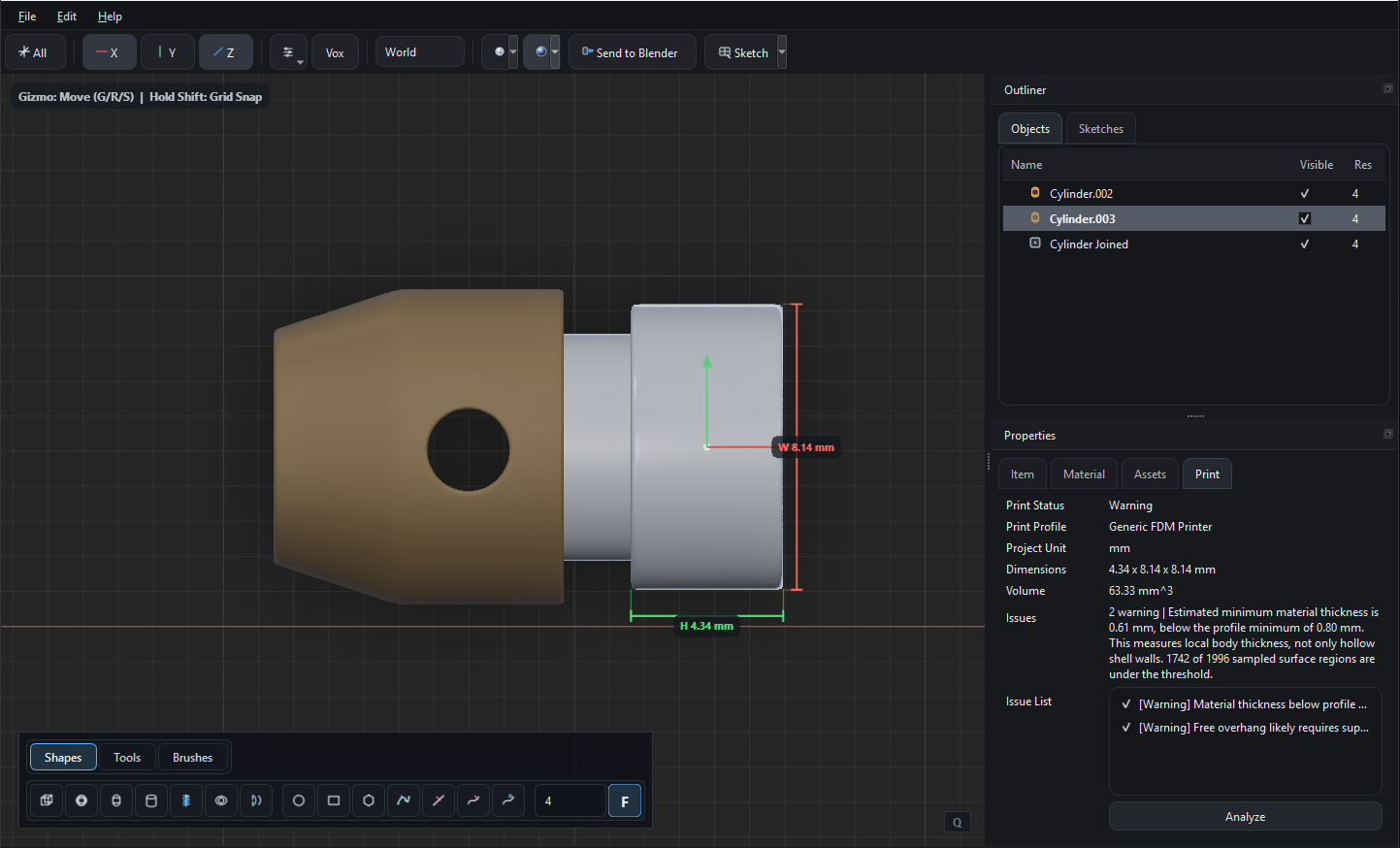
Apr 20, 2026Measurement and Print Analysis
You can mearure shapes, scene-, sketch-objects now and there is a first version of 3d Printing analysis.
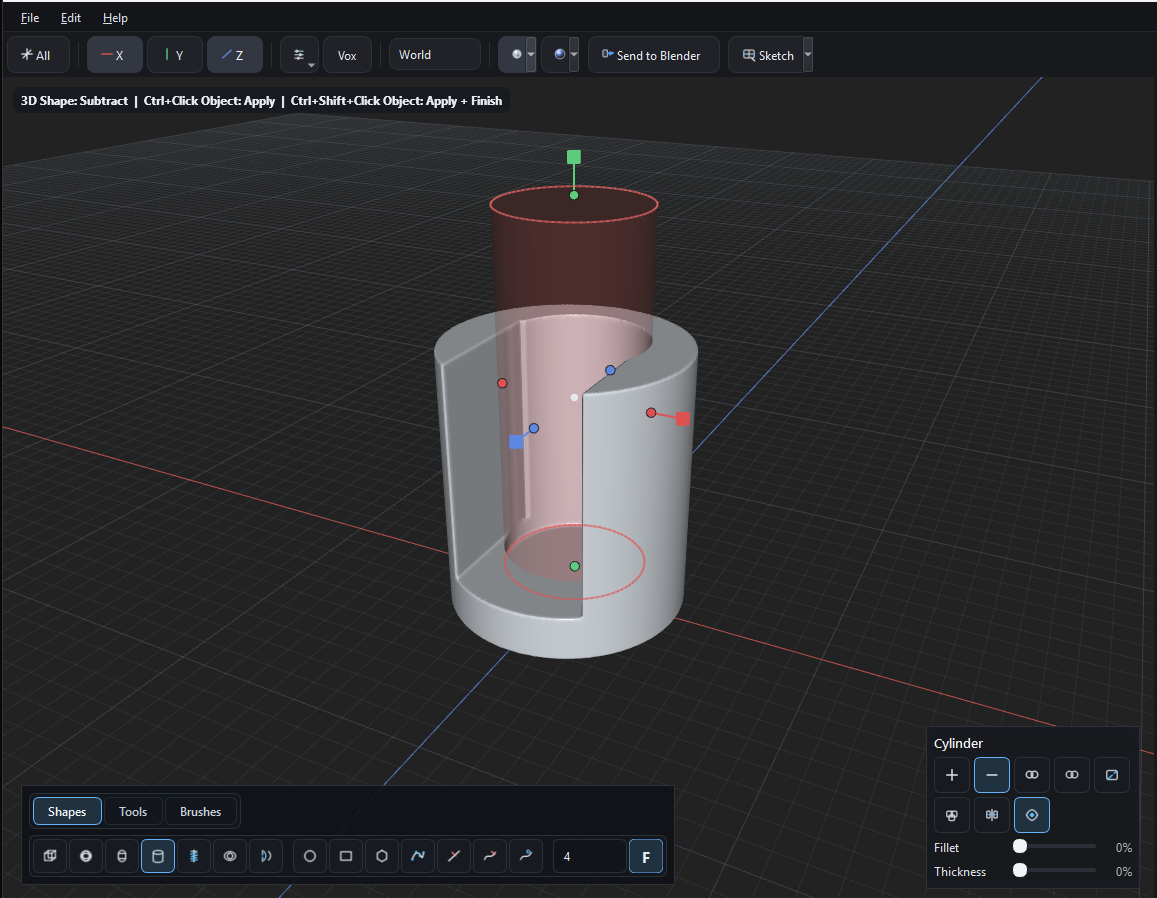
Improved UI & Workflow
The UI is redesigned, all commands are now availabe in the Objects- or Sketch Viewport so that we have more space for editing.
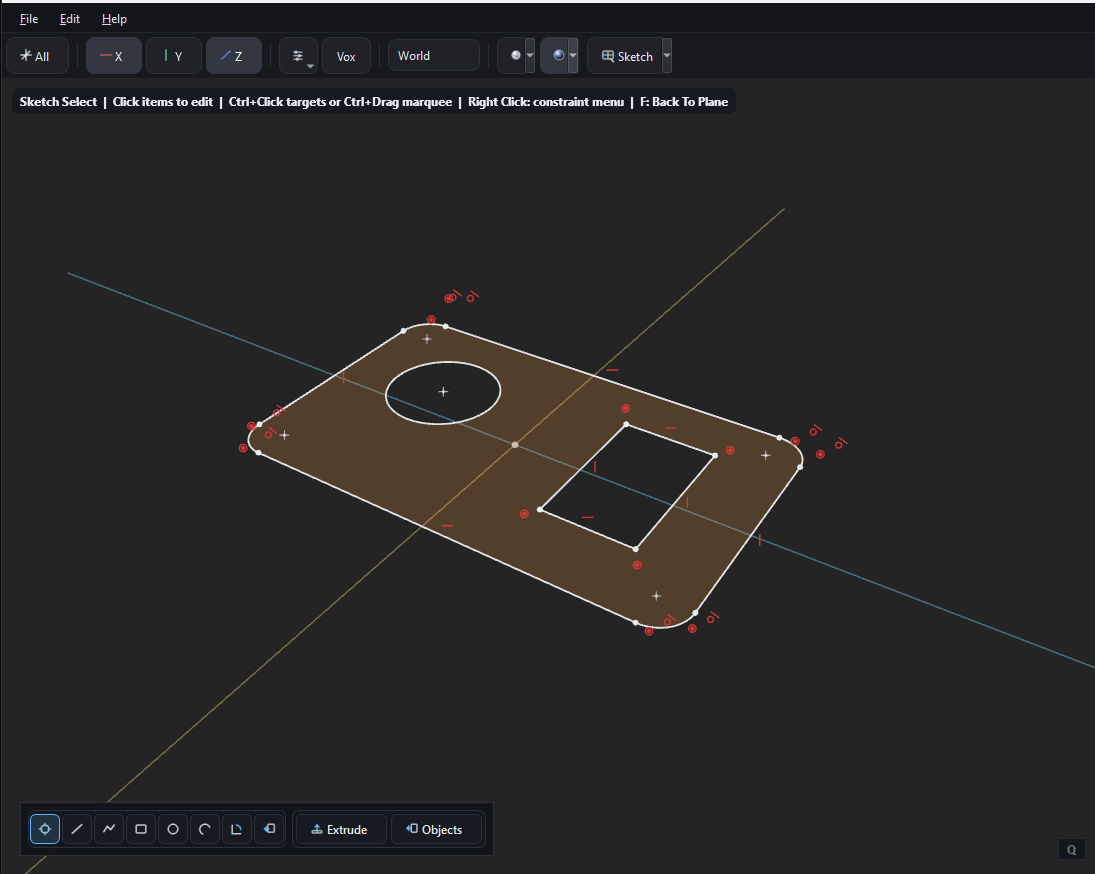
CAD Sketch Object Creation
In the Sketch Viewport you can create CAD Sketches (in the first version we have basic constraints) and then extrude them to Scene objects. The sketches are stored in your project.
v0.6.14
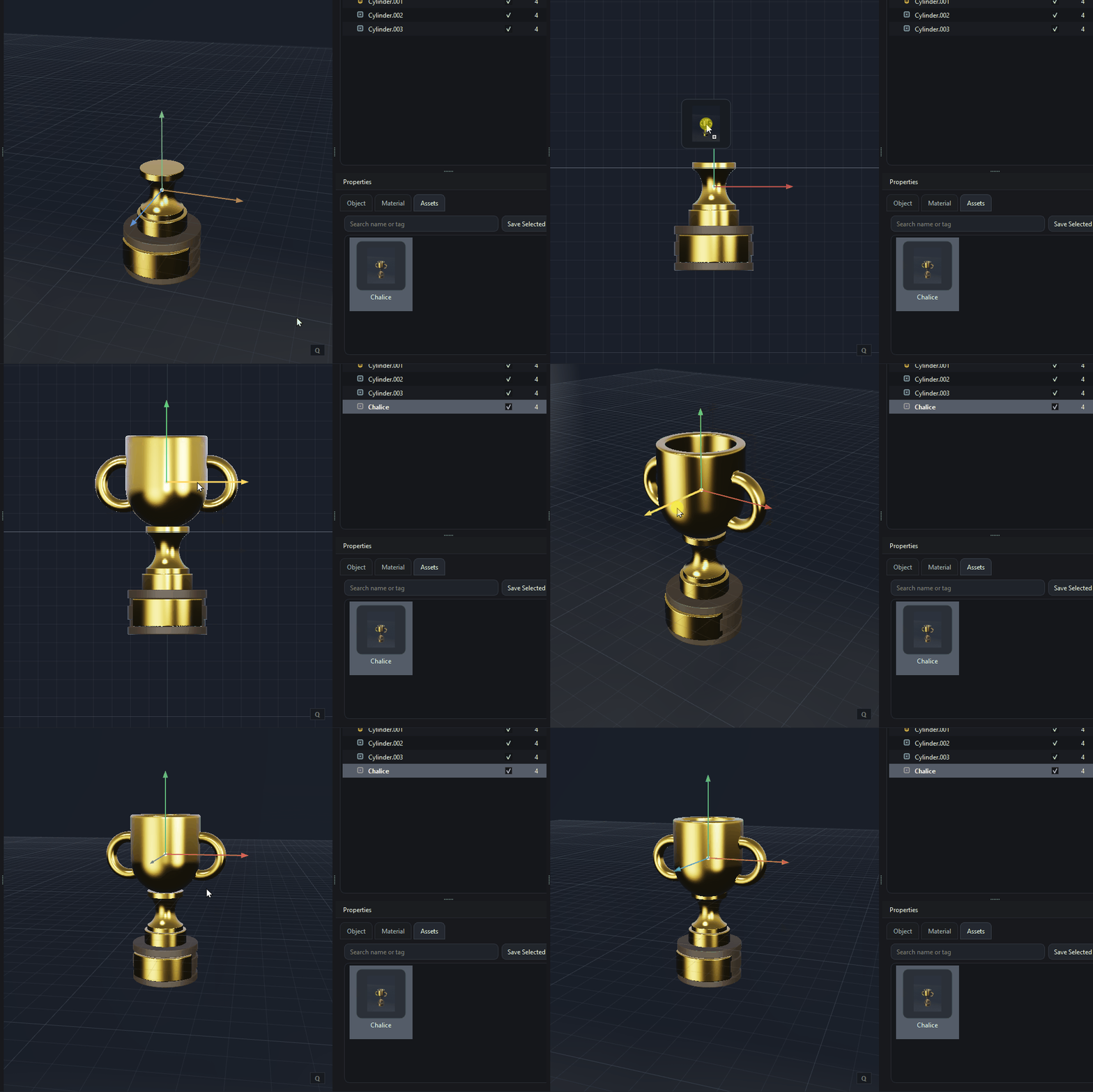
Apr 13, 2026Asset Explorer
We will have an Asset Explorer in this version to store scene objects to reuse them via drag'n drop in the viewport.
v0.6.13
Apr 12, 2026Faster Booleans
Again we improved the quality (Union) and speed (especially Subtract) of boolean operations.

v0.6.12
Apr 11, 2026Boolean an materials optimization
Union and slice are ROI optimized (speed, memory) and material quality as well.
v0.6.11
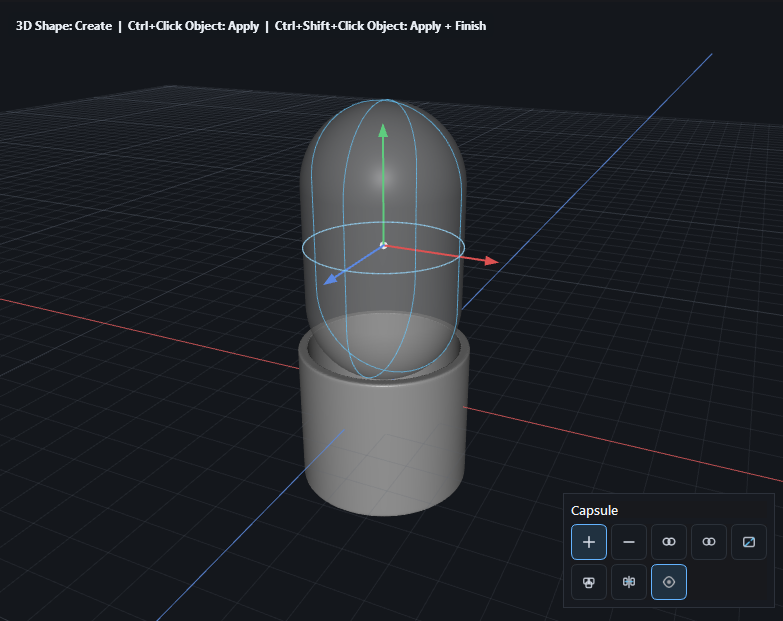
Apr 11, 2026Capsule shape
A capsule 3d shape was definitely missing, it's added now
v0.6.10
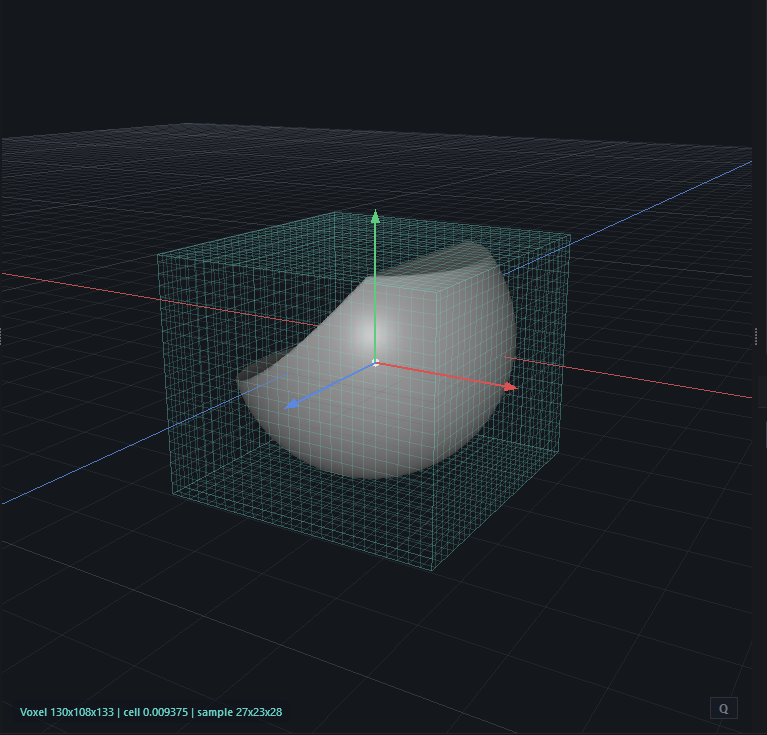
Apr 10, 2026Voxel Grid overlay
To display the resolution a simplified voxel grid overlay is added.
v0.6.9
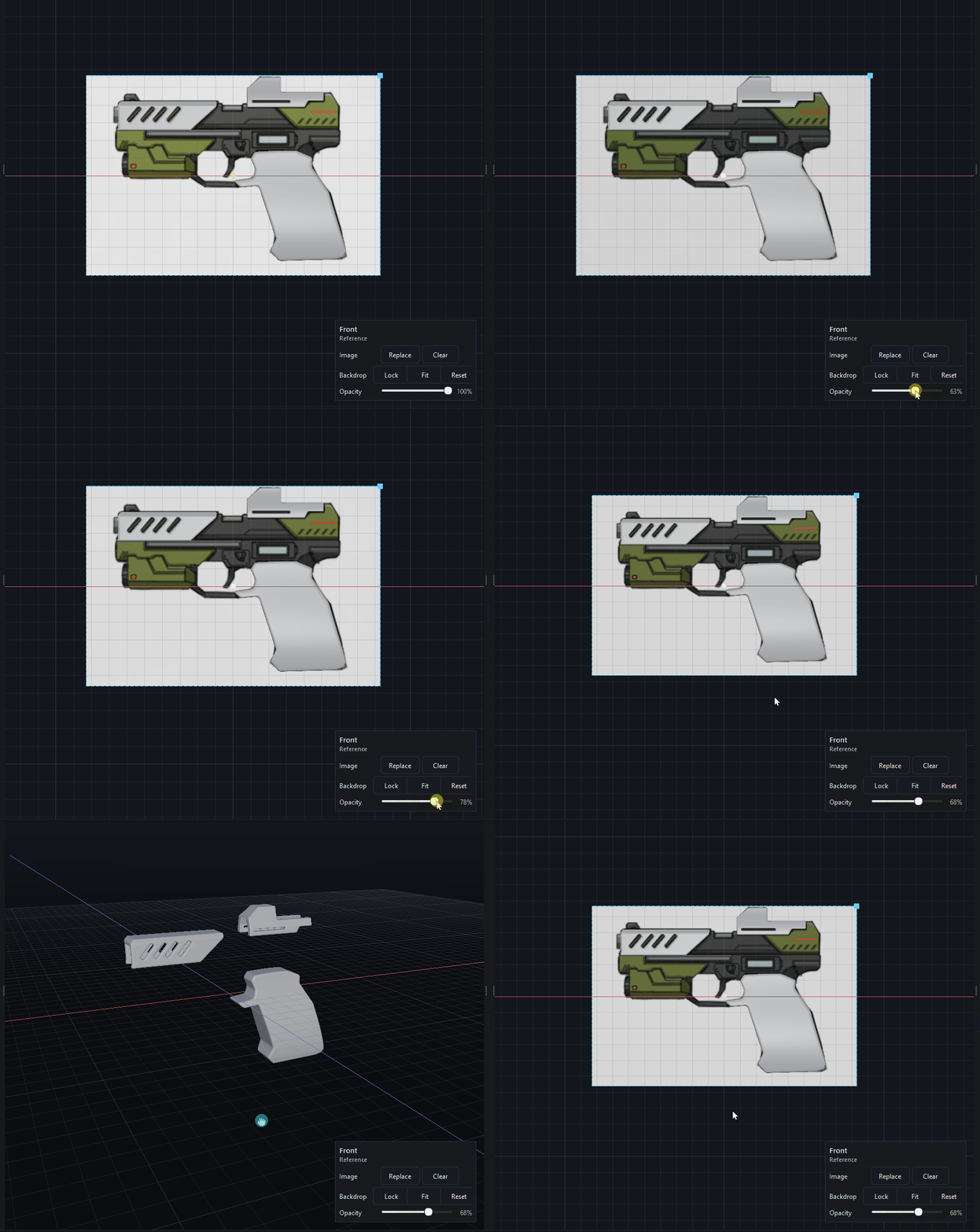
Apr 9, 2026Reference Backdrop
An Image Reference Backdrop for aligning objects will be added and also the possibility to set an opacity for the backdrop and for objects. (Img by https://artstation.com/artwork/KeZOGy)
v0.6.8
Apr 7, 2026HDRI / PBR rendering
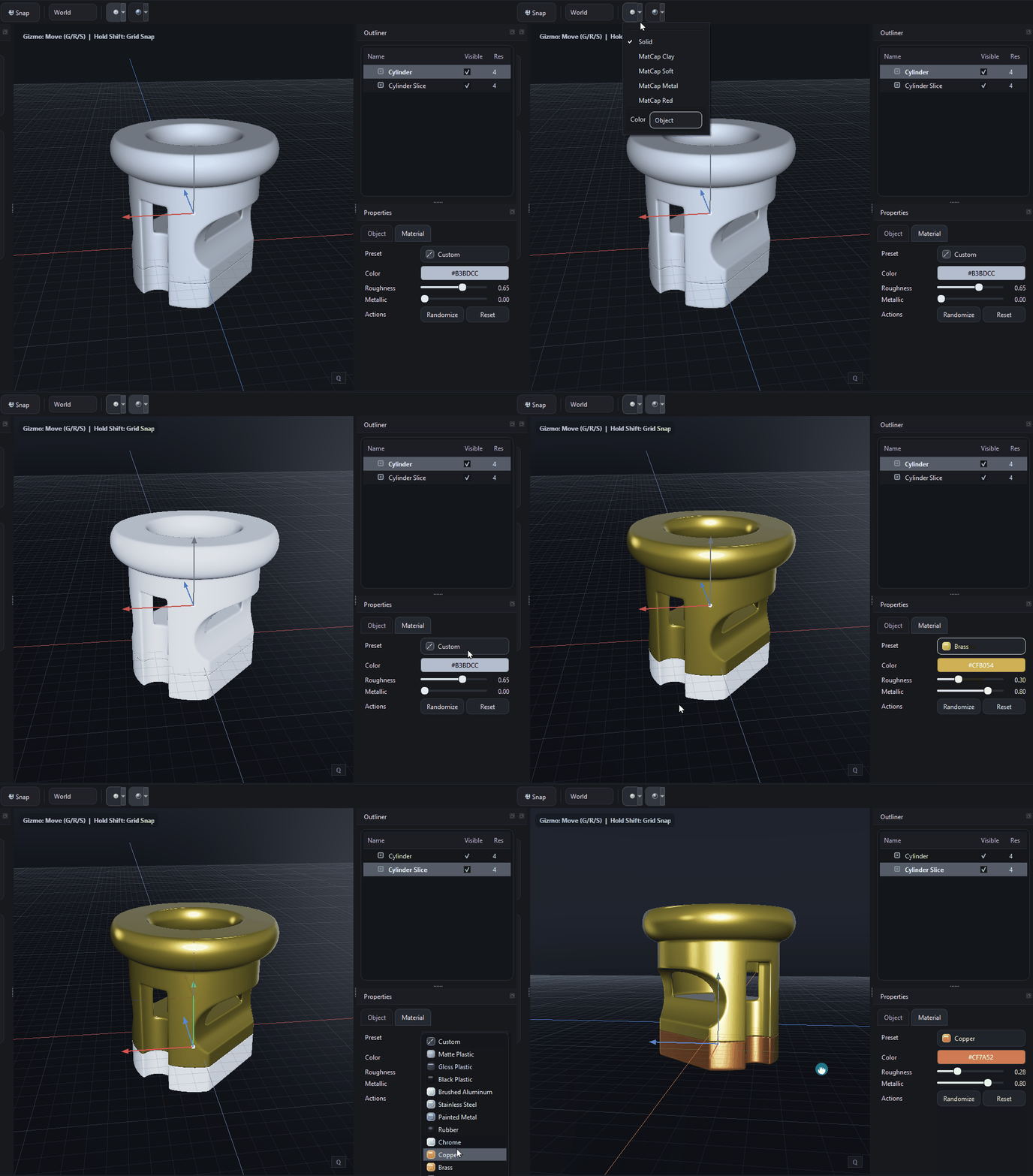
The rendering and lookdev update introduces a clearer split between Classic and Material viewport shading, with direct toolbar toggles and popup settings for faster access in the viewport. Classic shading was simplified to focus on solid-style preview behavior with only Object and Random color modes, while ignoring PBR roughness and metallic values to keep the display clean and predictable. On the material side, the color pipeline was corrected so UI/display colors are handled properly for lighting, improving the accuracy of material appearance in lookdev mode. The environment and background behavior was also refined, and editor overlays such as the grid and axes were moved onto a cleaner overlay path so they interfere less with shaded objects.
v0.6.7
Apr 4, 2026Critical: Use 0.6.7 -> Not 0.6.6, has Memory Leak
We fixed a serious memoryleak in 0.6.7 that was in 0.6.6 - so if you installed 0.6.6, deinstall and use 0.6.7 instead!
v0.6.6
Apr 4, 2026Materials & Lattice on Steroids
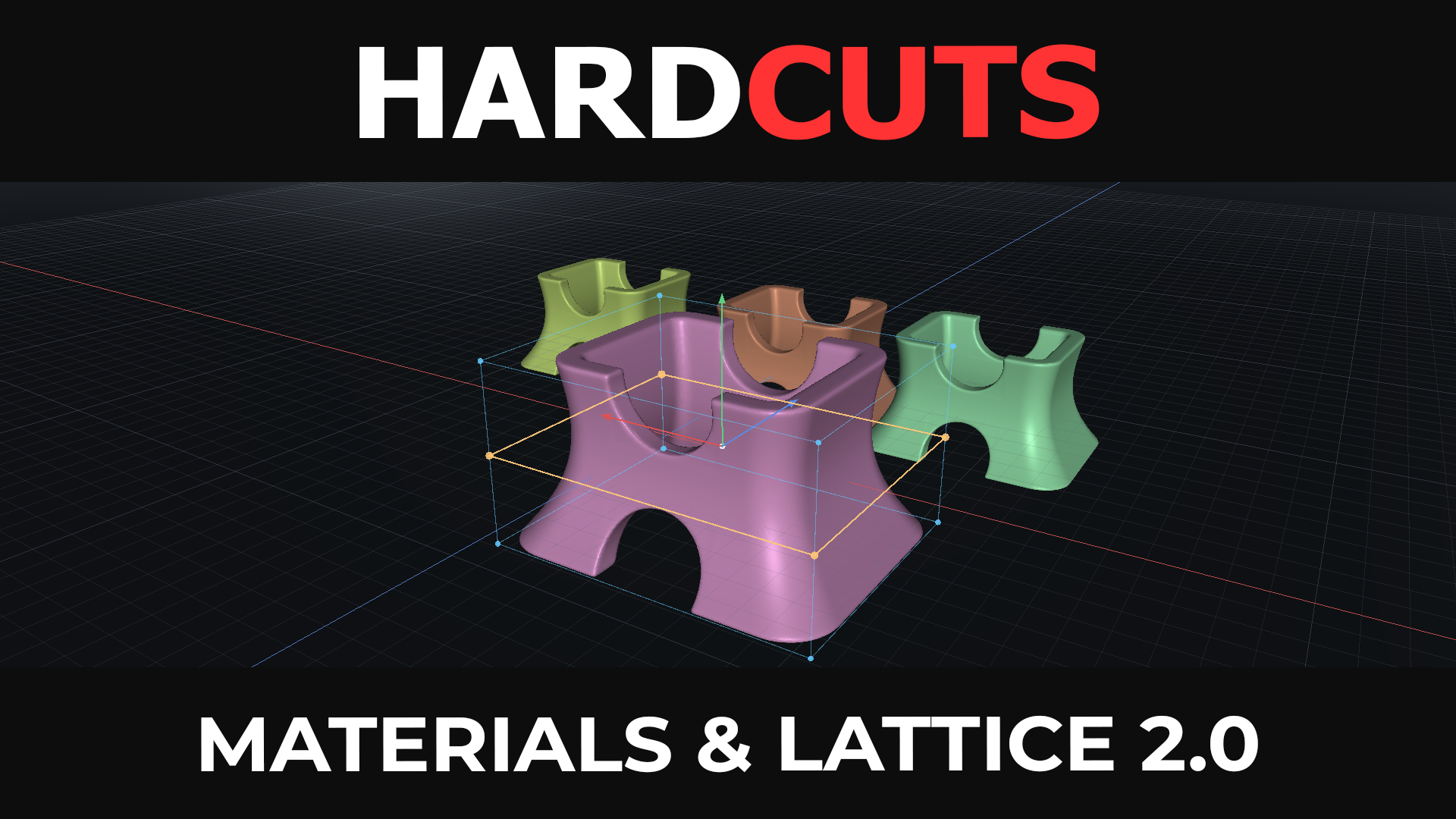
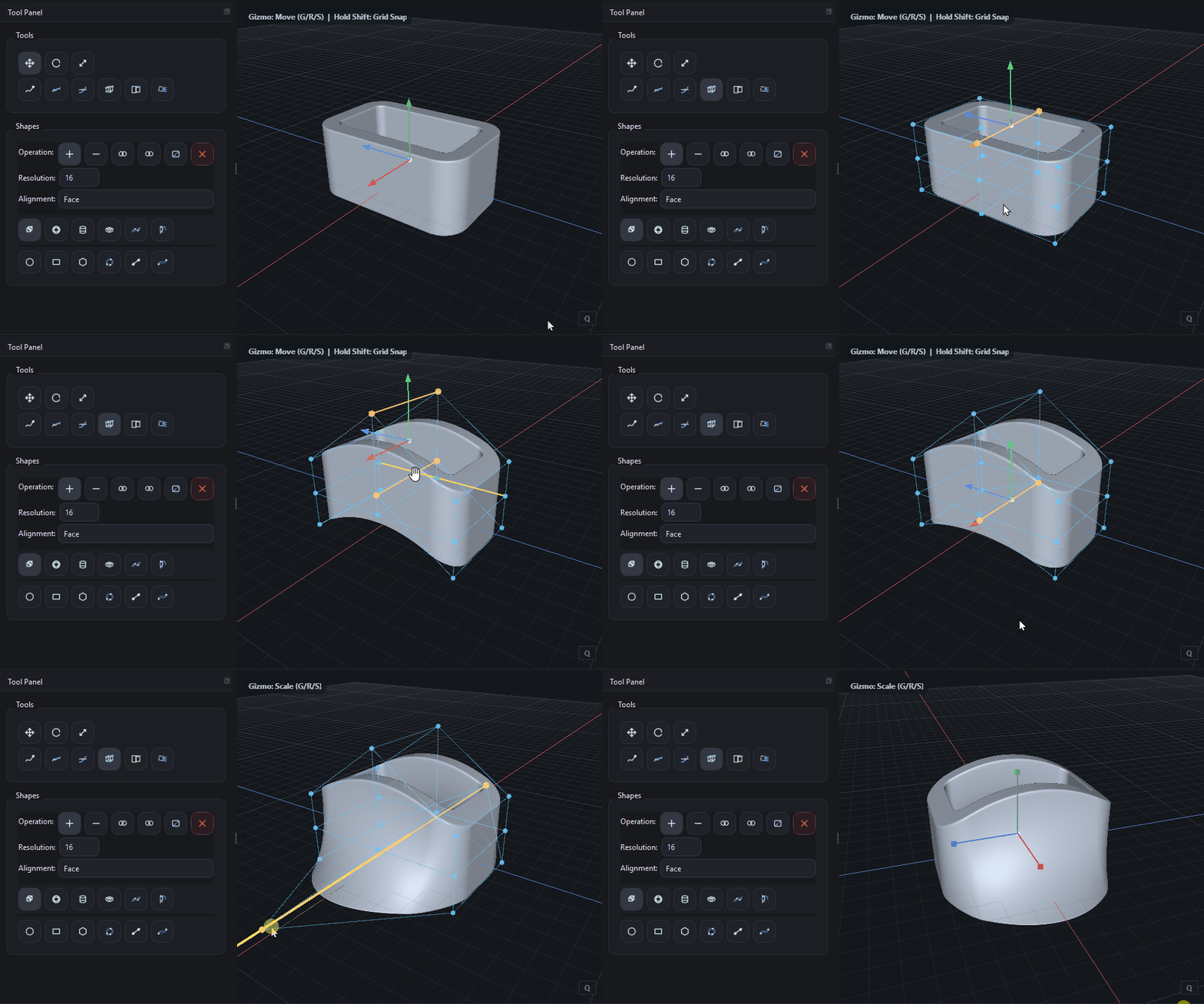
Materials, Lattice Deform & Faster Deformations 🎨 Materials & Colors – Assign colors to objects for better scene organization 🔲 Lattice Deform – Bend, twist, and shape models with an intuitive lattice system ⚡ Faster Deforms (OpenVDB + Ceres) – Improved performance, more stability, fewer artifacts 👉 Watch the update: https://www.youtube.com/watch?v=TCuSsitPNqU
v0.6.5
Apr 3, 2026Voxel Backend changed to OpenVDB
We changed the SDF Voxel Backend and Grid to OpenVDB for ultra crisp and precise booleans, I will upload it in 2 hours :)

v0.6.4
Apr 3, 2026Ultra-Fast, Artifact-Free Deformations: OpenVDB and Ceres included
We’ve completely reworked the deformation pipeline in HardCuts. Deforms are now powered by a combination of the Ceres Solver and OpenVDB, resulting in a massive leap in both performance and quality. 🔥 What’s new ⚡ Ultra-fast deformations Complex lattice and shape deforms now run significantly faster 🧠 High-quality solving (Ceres) Precise deformation solving with improved stability and accuracy 🧊 Clean, artifact-free results (OpenVDB) Automatic SDF rebuild ensures smooth surfaces and sharp transitions 🛠 Robust pipeline Deform → Rebuild → Clean SDF → ready for booleans or more deforms
Refactoring this week
We will have a refactoring step this week, new features will be implemented after Easter next week
v0.6.3
Mar 31, 2026Live Booleans ultra fast
We are now running Live Booleans in parallel on the CPU — pushing performance to a whole new level. What does that mean for you? • Ultra-fast boolean previews • Real-time feedback while designing • Smooth interaction even with complex shapes • No more waiting — just pure iteration Instead of blocking your workflow, HardCuts now evaluates boolean operations across multiple CPU cores simultaneously, giving you the speed you expect when working in a modern modeling environment. This is a big step toward our goal: making hard-surface design feel instant. And we’re just getting started.

v0.6.2
Mar 28, 2026Bend and Lattice Deform in Background
The deform background service is now implemented for Bend and Lattice as well.
Deform in Background
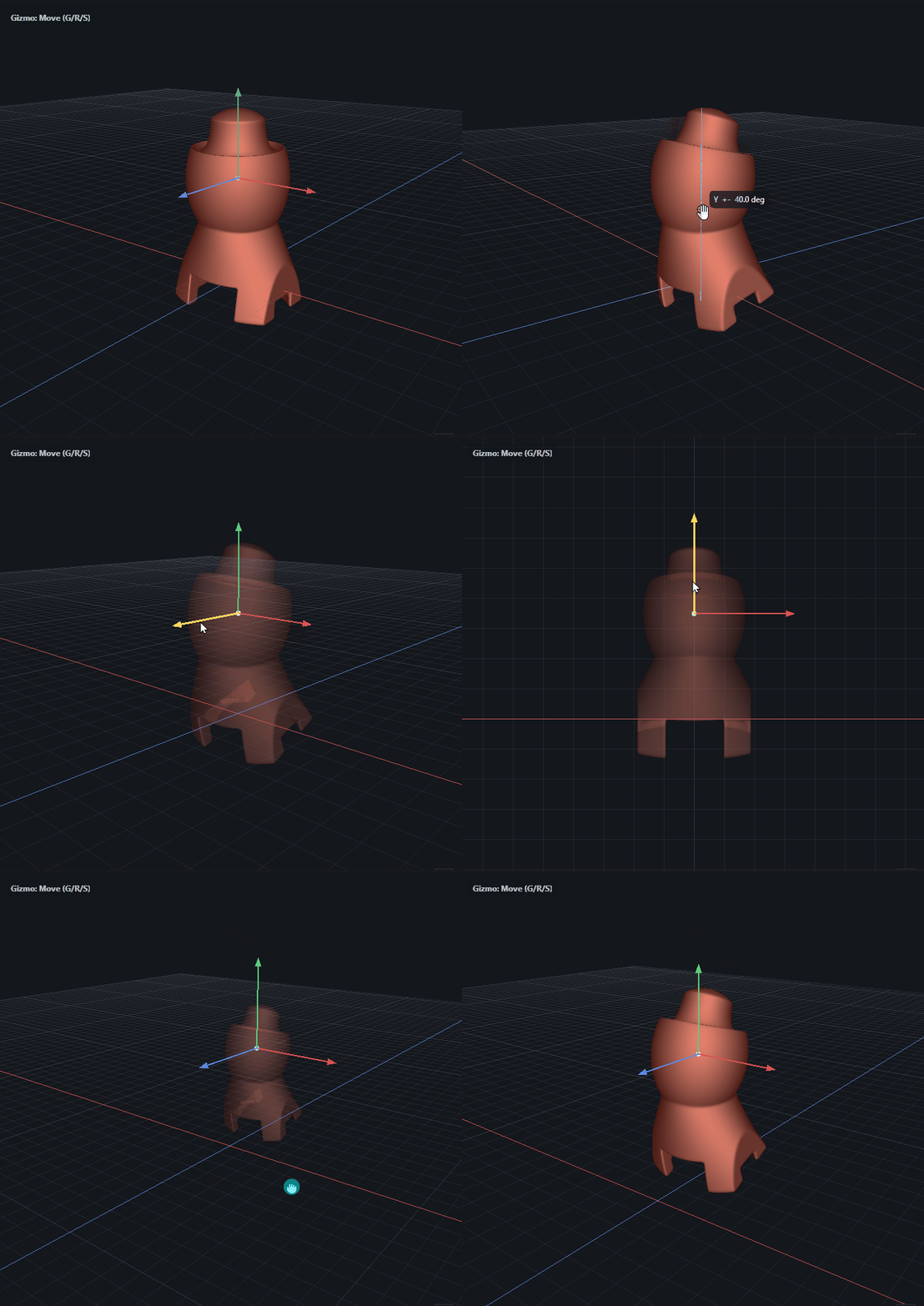
When scaling or deforming SDF objects you need to re-voxelize, even when doing it with Narrow-band it takes some time. In Hardcuts this is done now in a deformation background service, non-blocking UI.
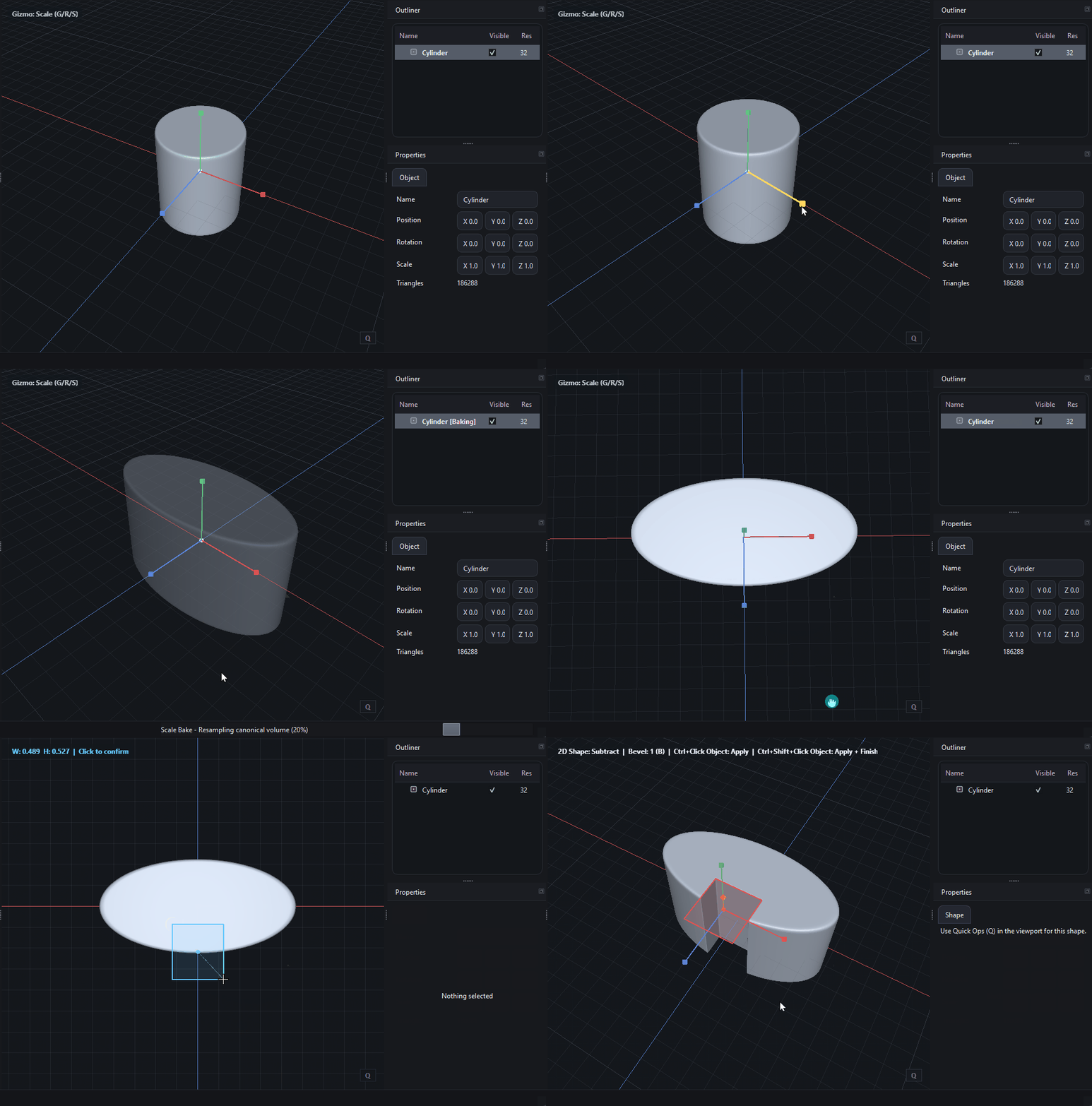
v0.6.1
Mar 28, 2026Performance and Stability
We increased performance for 2d and 3d shape operations and also removed artefacts for some primitives like Torus and Profile sweep
Mirror for shapes
We have a mirror for 2d and 3d Shapes now (Axis with world center and object center)

v0.6.0
Mar 27, 2026Live Booleans in next Build
I decided to come up with the CPU based live booleans in the next build, will upload this evening, so that you can play around with it :)
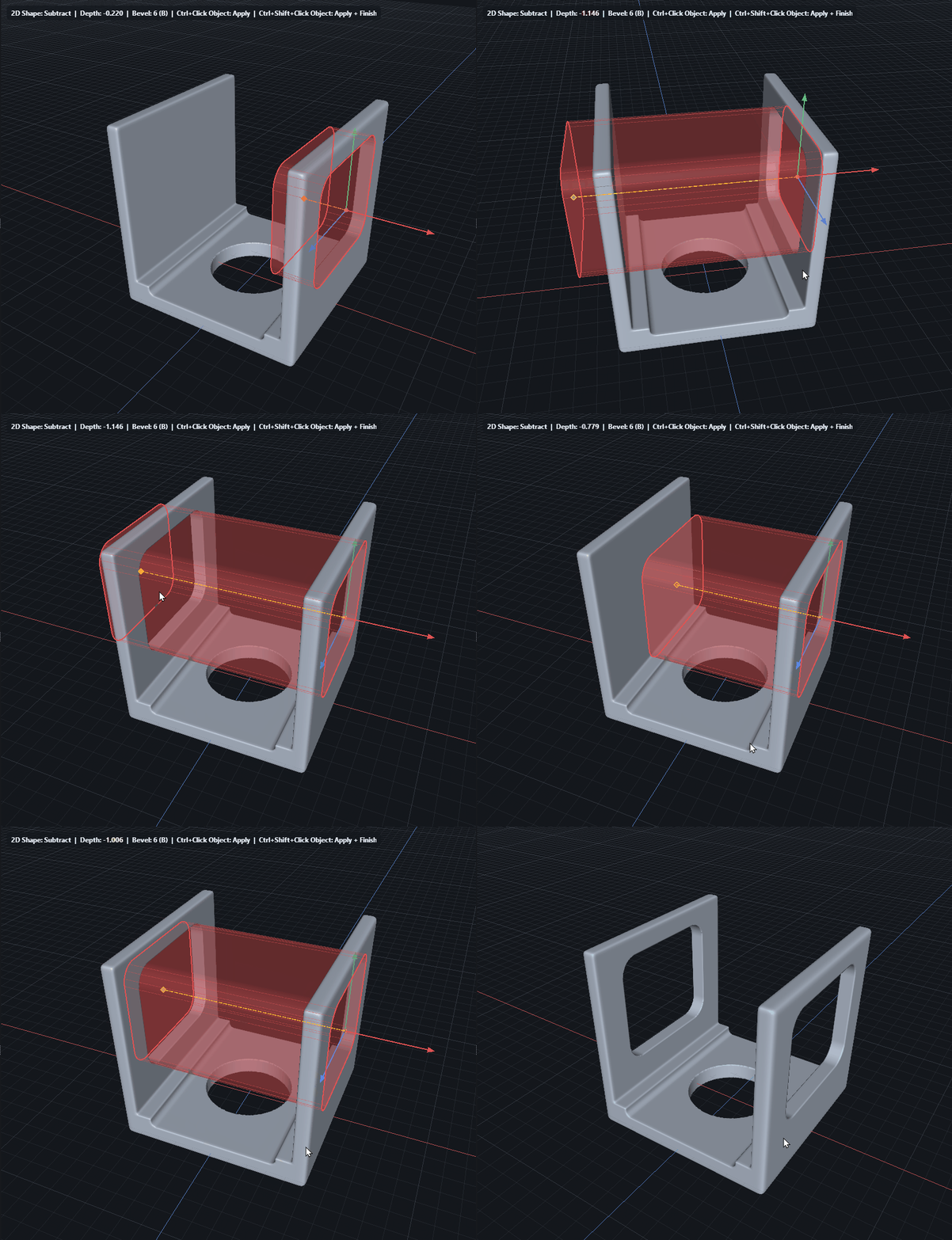
Live Booleans + Lathe Tools
Live Booleans in HardCuts are evolving fast — and combined with the new Lathe tools, they unlock a completely different level of flexibility for hard-surface design. You’re no longer just cutting shapes… you’re designing workflows in real time. With Lathe + Live Booleans you can: • Create complex radial forms in seconds • Iterate non-stop without rebuilding geometry • Combine primitives, cuts, and profiles fluidly • Stay fully focused on shape exploration instead of technical steps
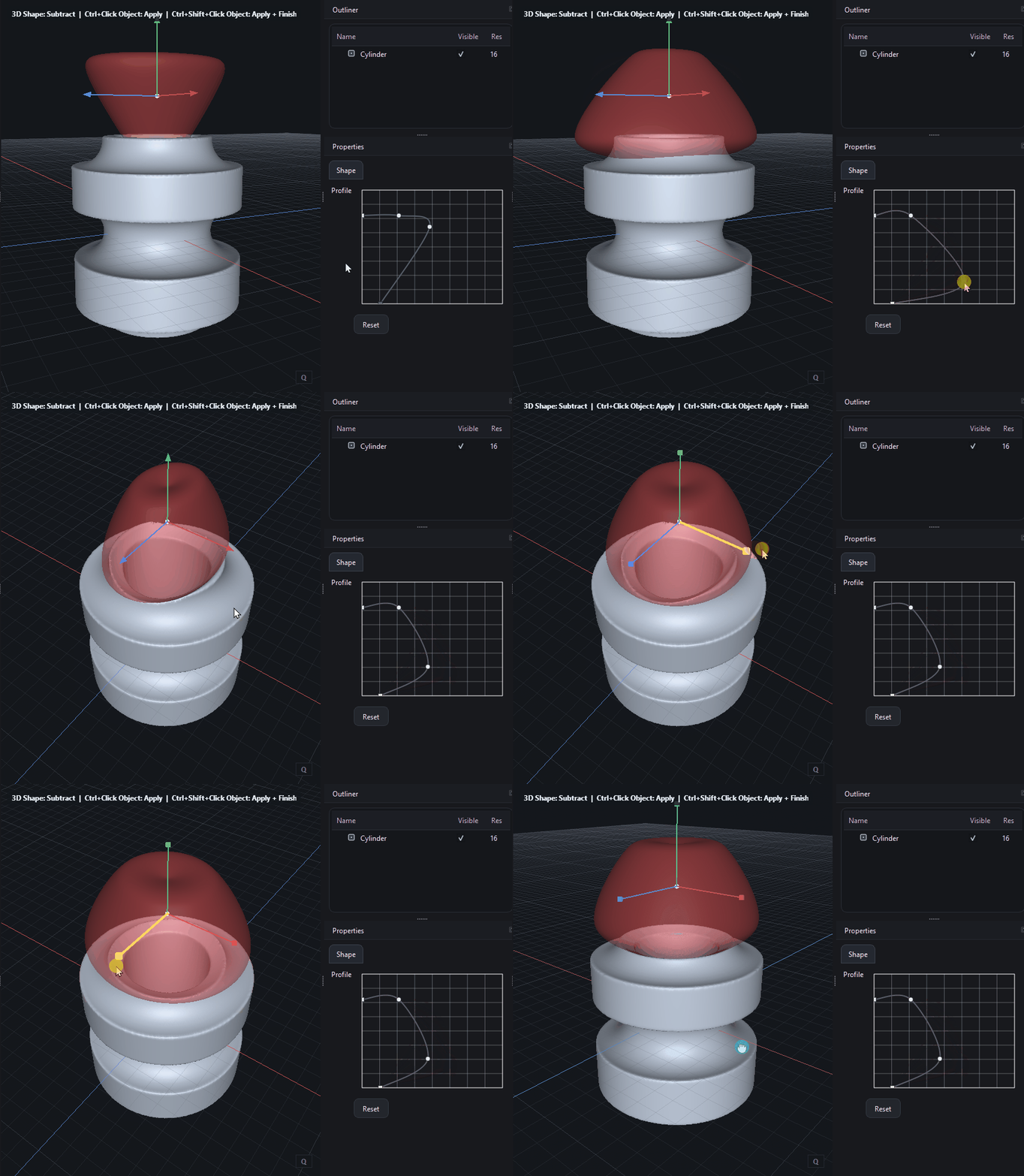
Live Booleans - Preview Mode
Another live boolean teaser - will come in 1-2 weeks I think, optimizations have to be done and GPU based implementation, at the moment it is still on CPU but first tests are looking good.
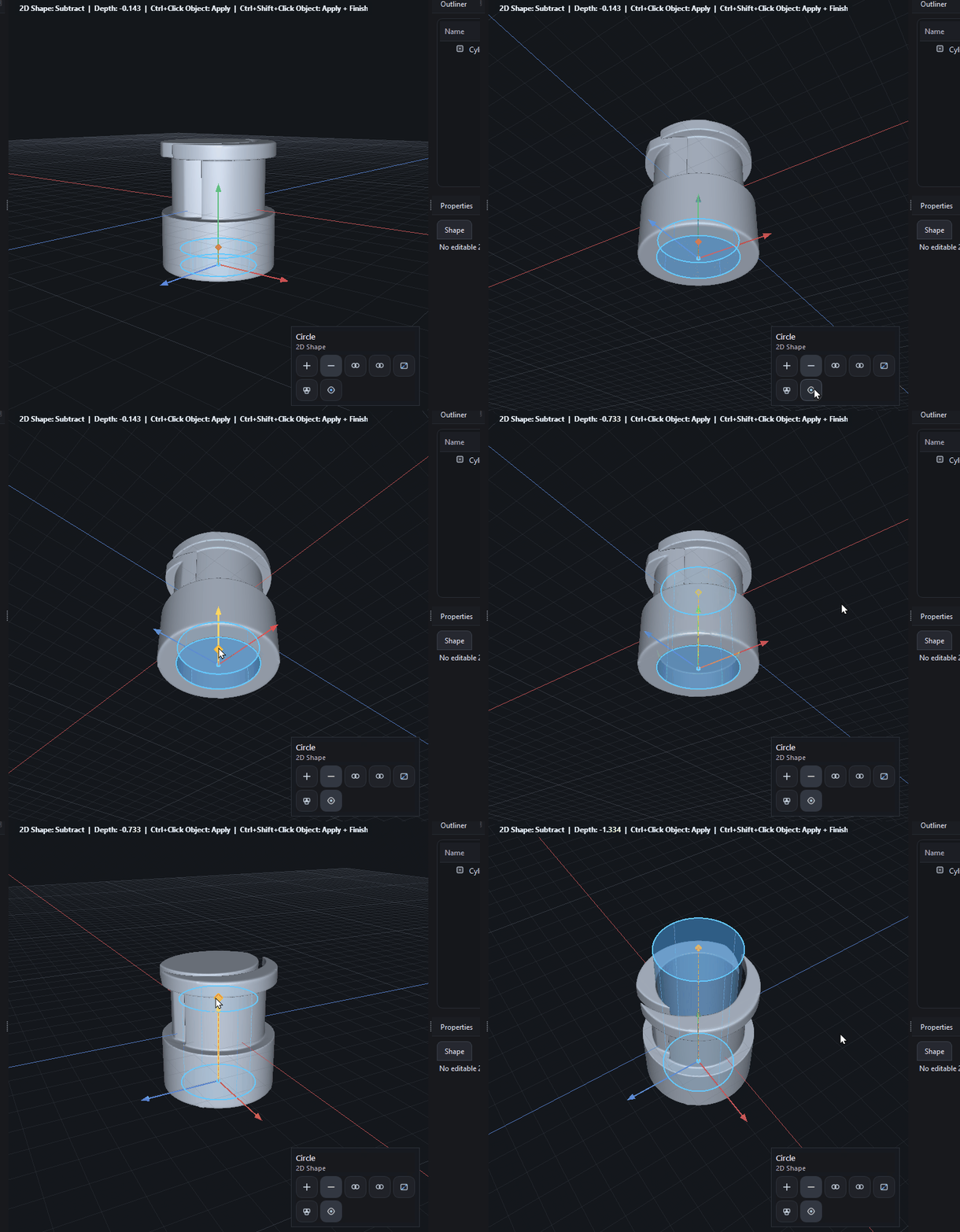
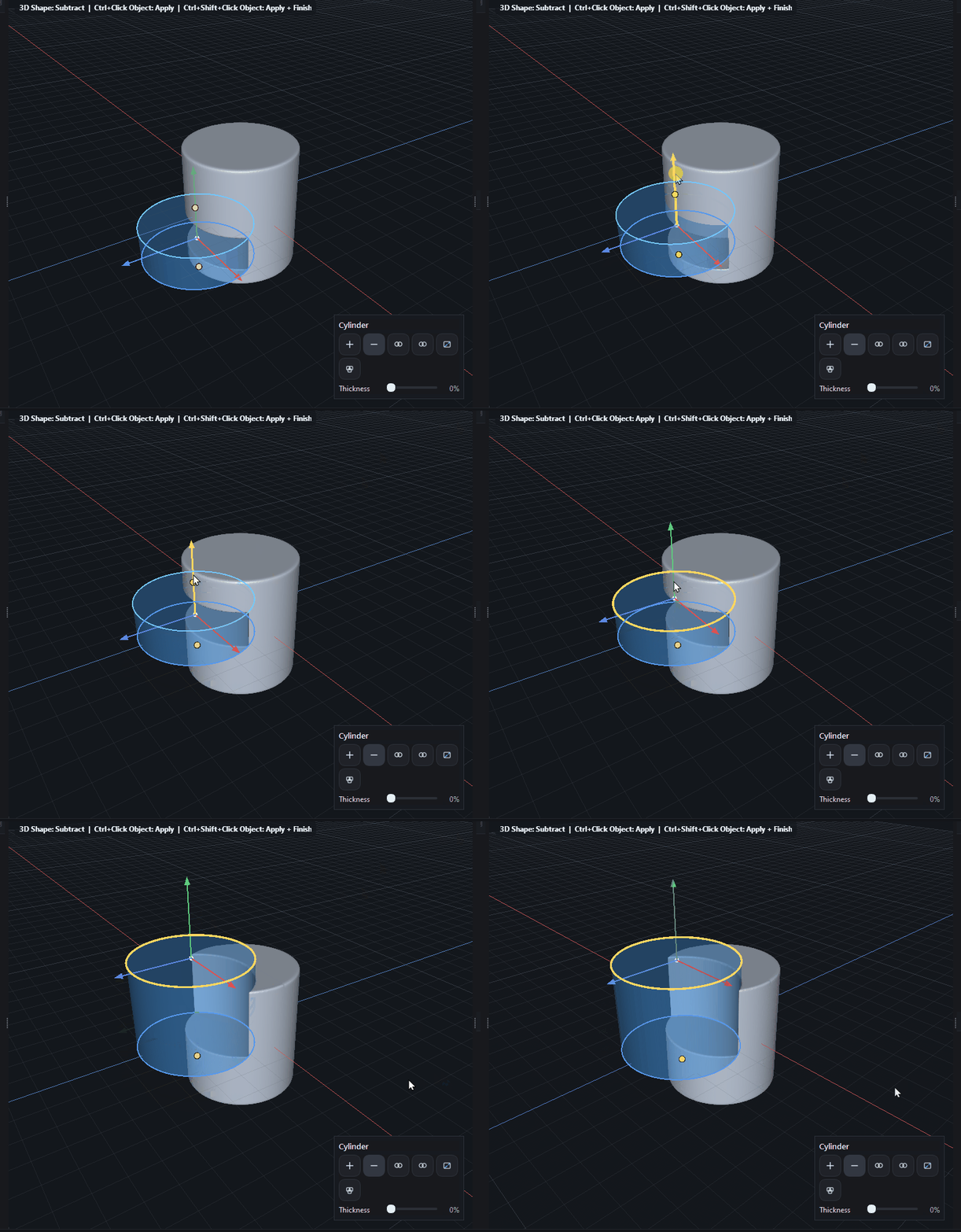
Live Booleans
The first step to Live Booleans is in the making on a separate brnach (still on CPU for test), I think the feature will come in 0.6.0 alpha.
v0.5.6
Mar 25, 2026Object Arrays in Viewport
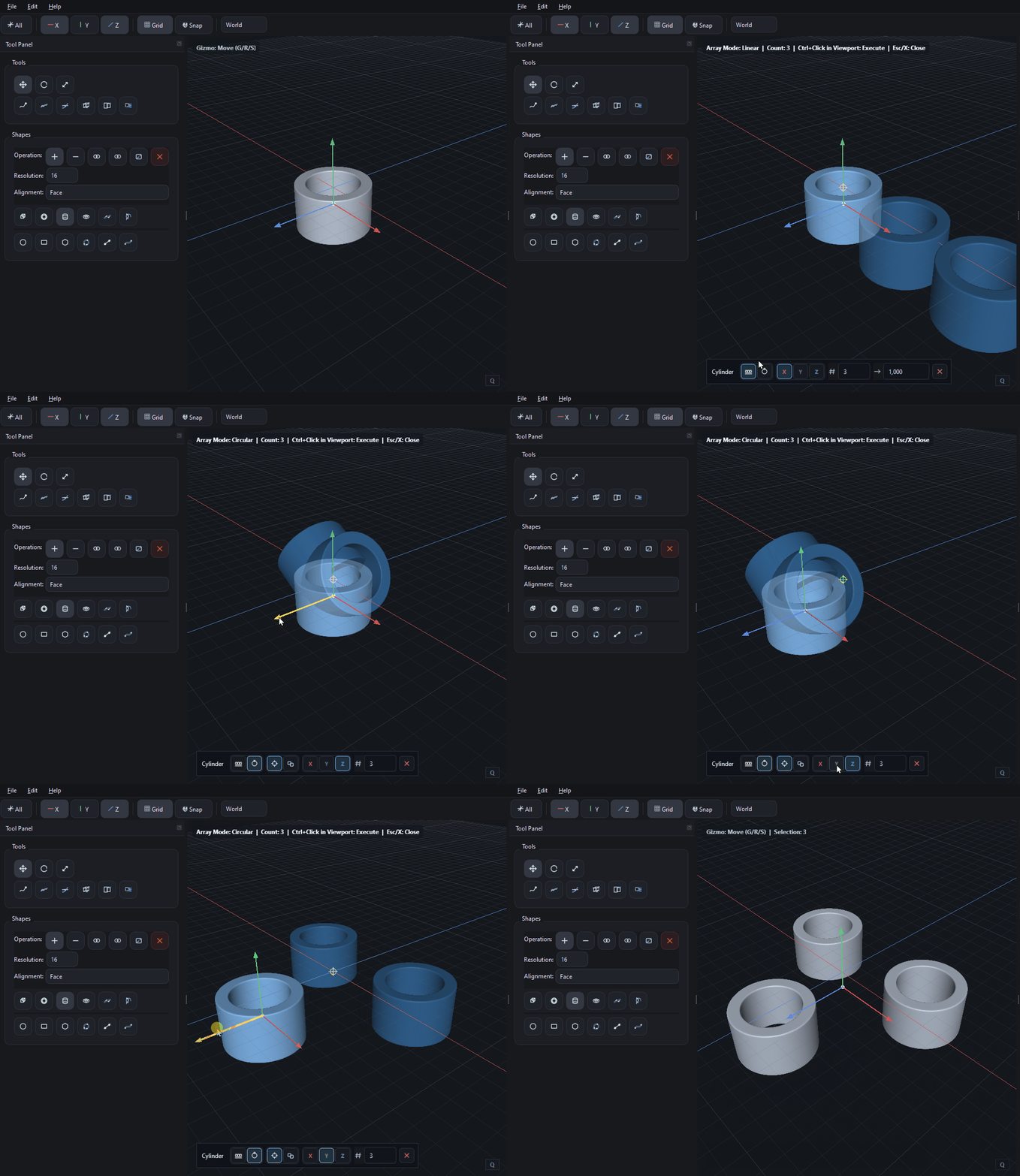
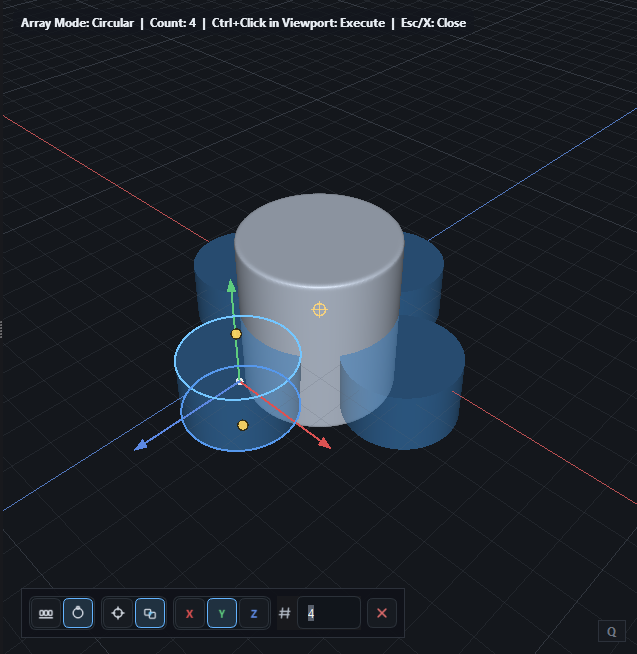
Arrays (linear and circular) can now be defined as Quick Op directly in the viewport.
Array UI in Viewport
Now we can define Arrays for shapes and objects directly in the viewport with a few click - love it.
v0.5.5
Mar 24, 2026User Preferences
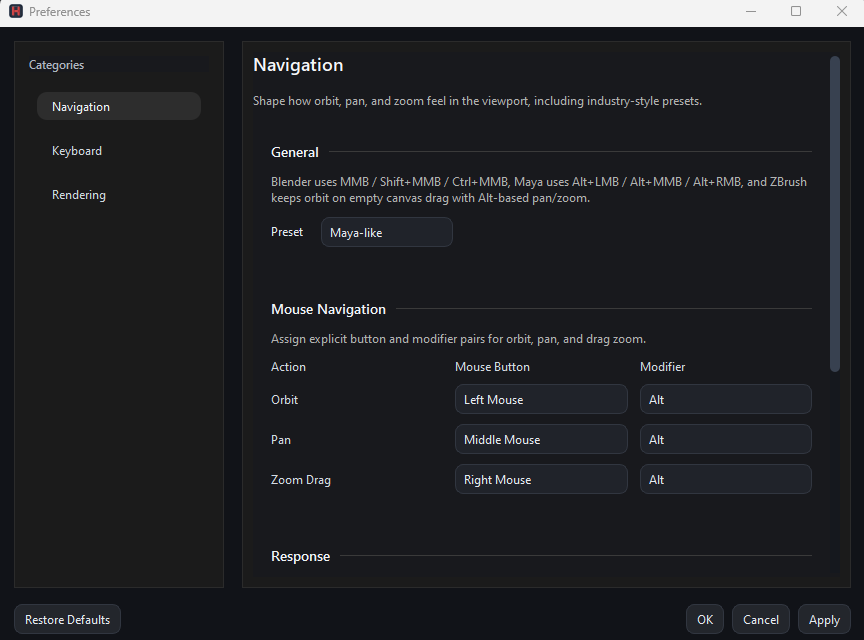
The first version of the user preferences dialog is implemented, looking forward for your feedback once the 0.5.5 is shipped (in 1-2 days)
3D Shapes Top / Bottom selection
Faces of the prmitives can now be selected by small dots so that the selection of the full primitive is easier - before the selection was done via clicking the borders of the faces, which was a bit tedious.
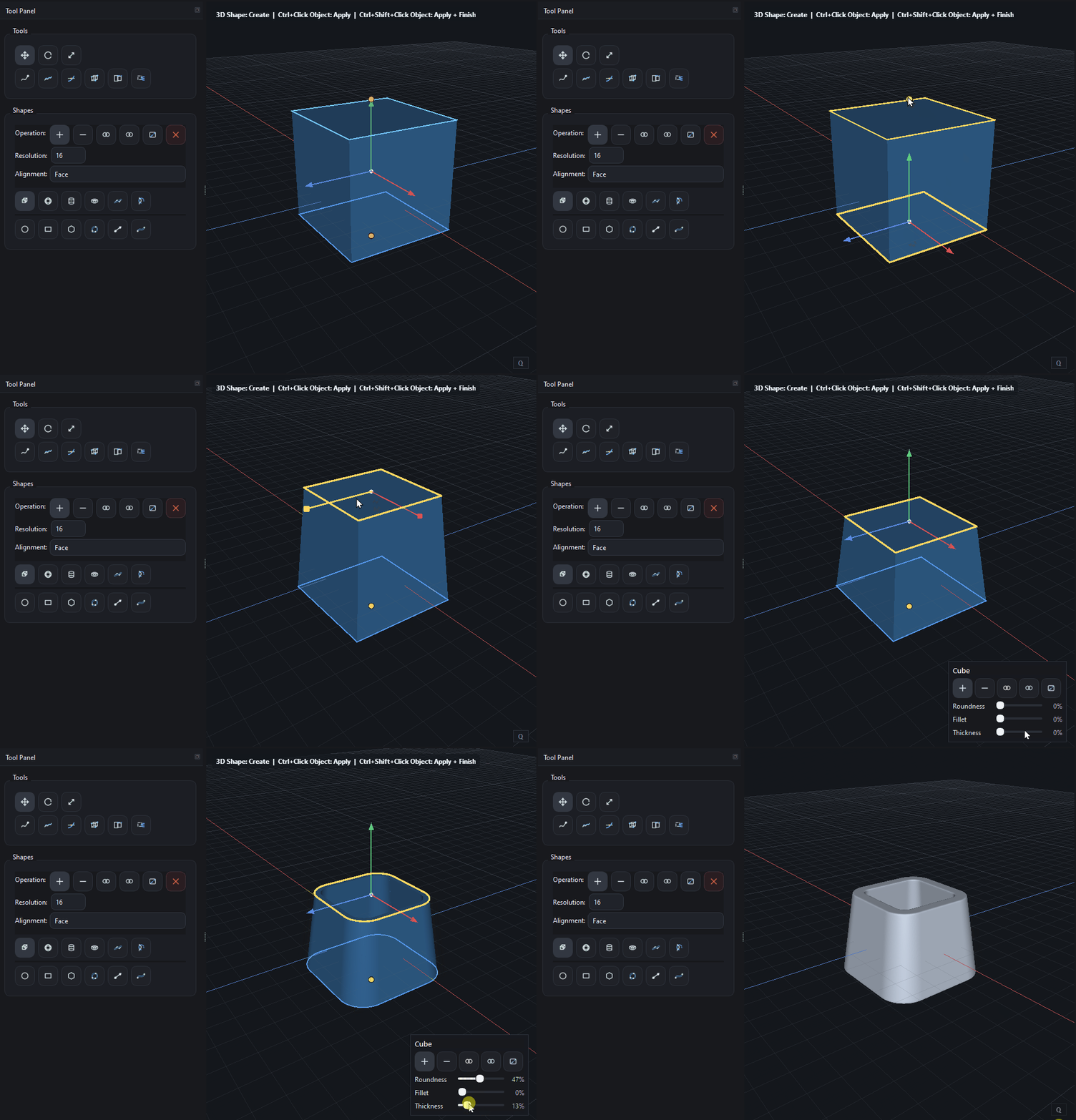
Roundness Cube Shape
The Corners stay round now for scaled cubes as well.
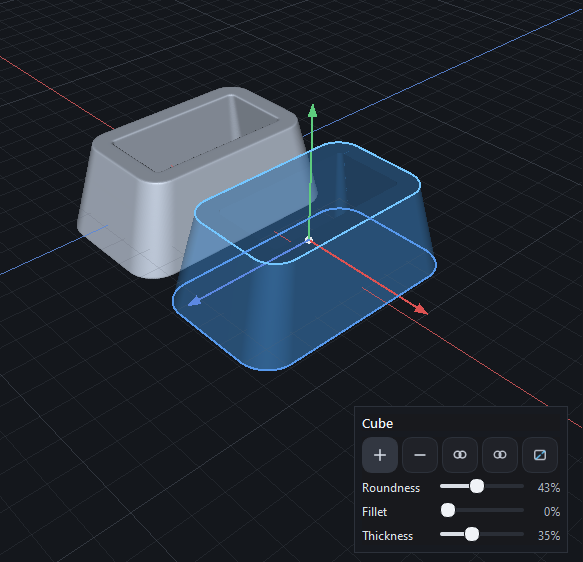
v0.5.4
Mar 22, 2026Picking of objects
Smaller objects could not be selected properly in the viewport, this is fixed now.
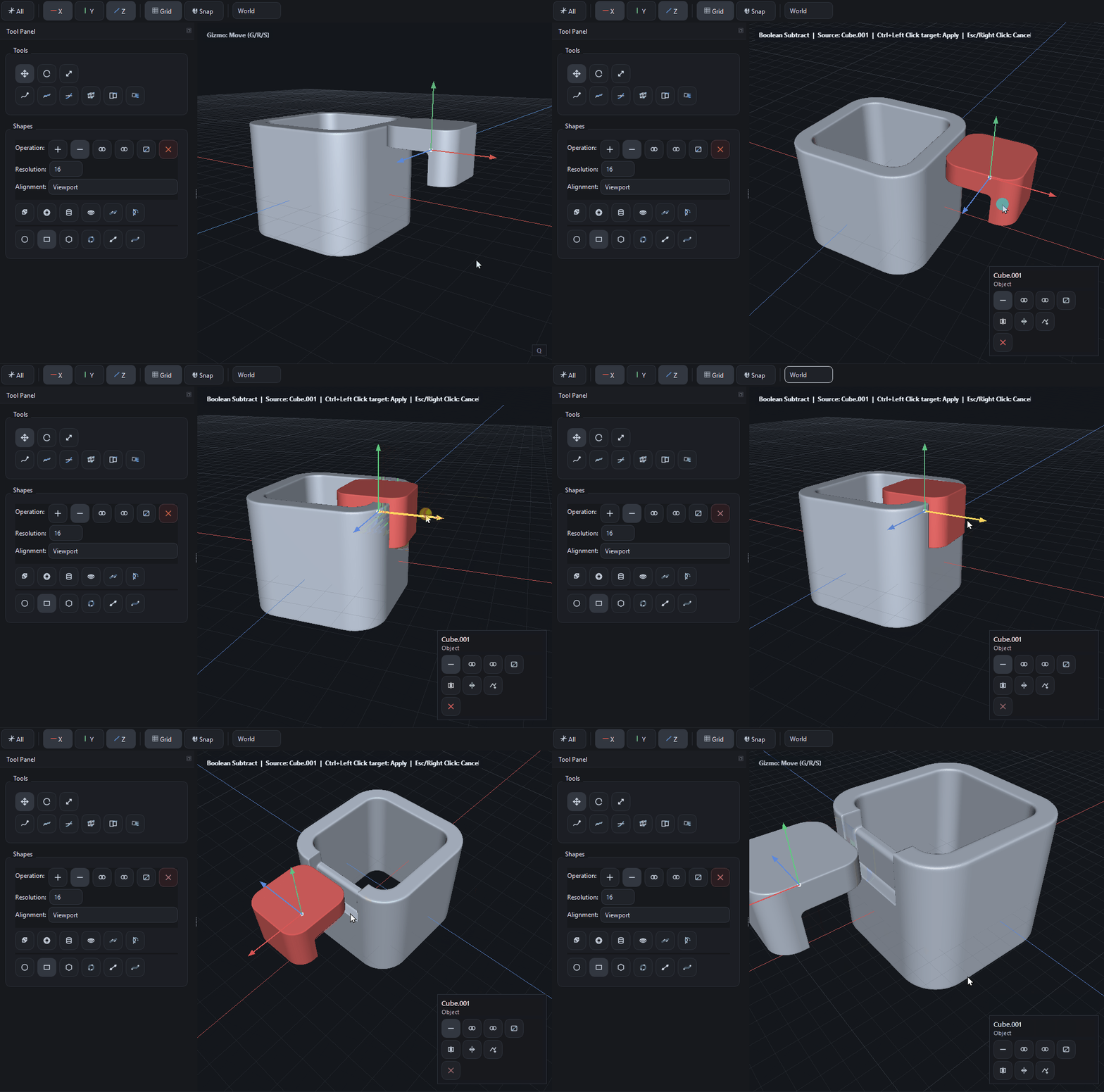
Boolean operations with objects
We’ve improved boolean clarity: when a boolean operation is active, the cutter object is now displayed in red. This makes it instantly clear which object is acting as the cutter and that boolean mode is enabled.
v0.5.3
Mar 21, 2026Quick Ops Panel in Viewport
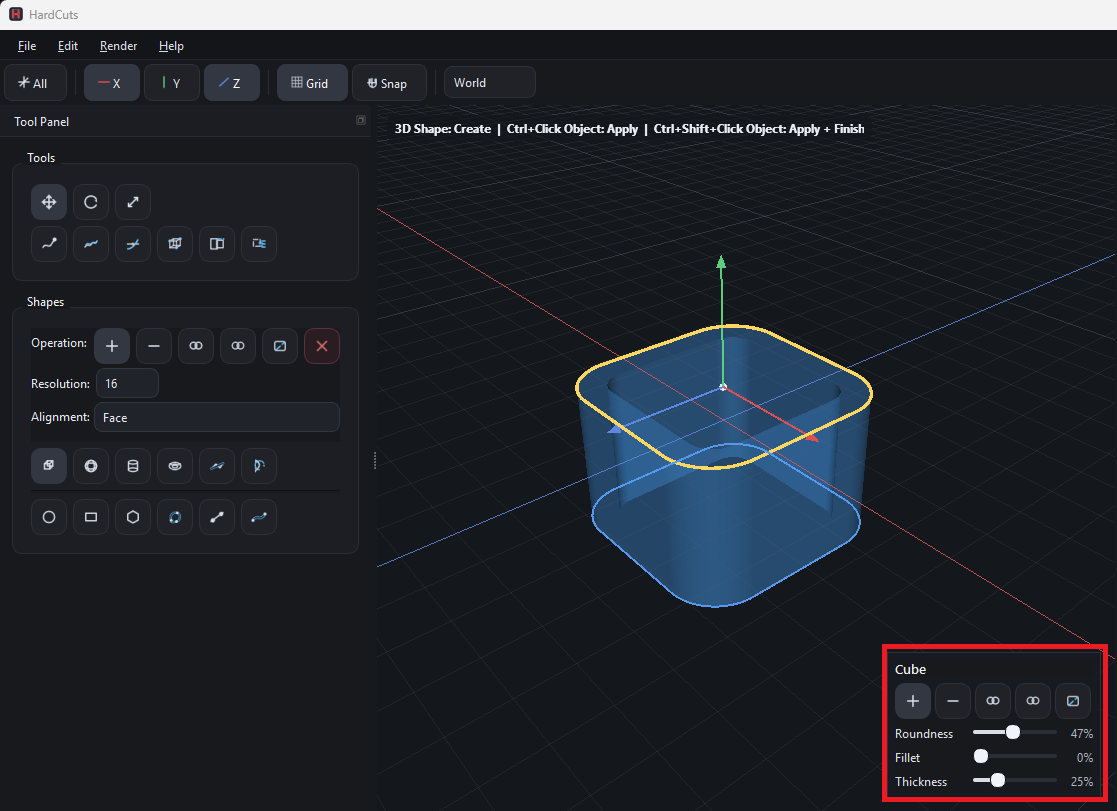
Press Q to open a compact overlay panel in the bottom-right corner with the most relevant actions for the currently selected shape or object. Instead of spreading core controls across multiple property panels, booleans and fast shape parameters like Roundness, Fillet, Thickness, cylinder radii, or 2D bevel are now accessible right where the work happens: inside the viewport. This was not only a UI feature, but also a structural cleanup step. Quick Ops was built as its own module instead of adding even more logic to ViewportWidget, which moves the codebase in the right direction for future refactoring and a cleaner viewport architecture.
Smooth brush lag
The Smooth brush works now without lag after the apply